Subtitles and Accessibility Settings for Short Drama Viewers
Captions, subtitle size, playback speed, brightness and audio settings: how to make short dramas easier and more comfortable to watch.

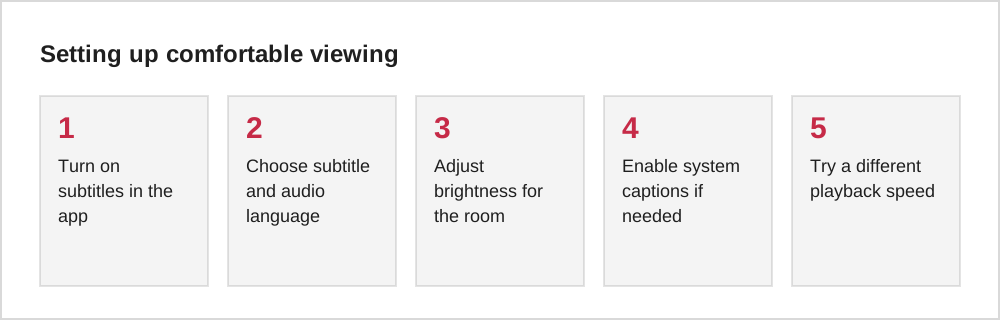
Subtitles and accessibility settings make short dramas easier to follow for everyone: viewers with hearing loss, people watching in noisy places, language learners and anyone who prefers to watch with the sound off. Some settings are inside the app; others are part of your phone's system.
In-app options to look for
| Option | Why it helps |
|---|---|
| Subtitles on or off | Follow dialogue without sound |
| Subtitle language | Watch dubbed or original versions with your language |
| Playback speed | Slow down fast dialogue or skip through slower scenes |
| Audio language | Switch between dubbed and original audio if offered |
Not every app offers every option, so it is worth checking the settings or the playback screen before choosing an app.
System settings that help
Both iPhone and Android include accessibility settings that can affect video apps:
- Captions and subtitle style: some system settings change the size and look of captions in apps that support them.
- Mono audio and balance: helpful for hearing differences in one ear.
- Reduce motion and brightness controls: useful if bright, fast-cut scenes are uncomfortable.
Support for system settings varies between apps, so test them with your favourite app.
Watching with subtitles on also helps with fast dialogue in dubbed shows, where voices may not always match lip movements.
Comfort for longer sessions
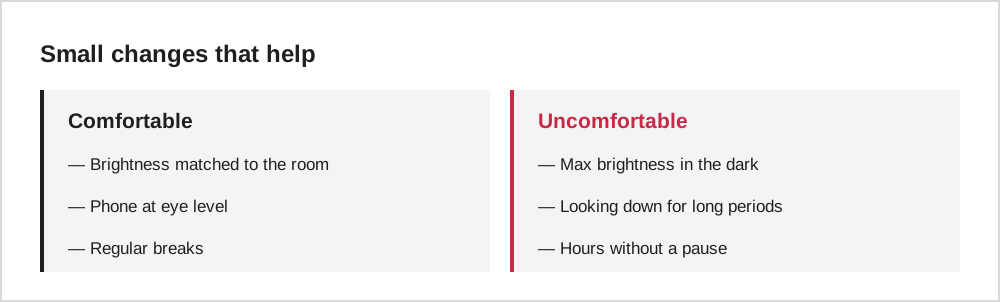
Holding your phone at a comfortable height, taking short breaks and matching brightness to the room all reduce strain during longer viewing sessions.
Language learning with short dramas
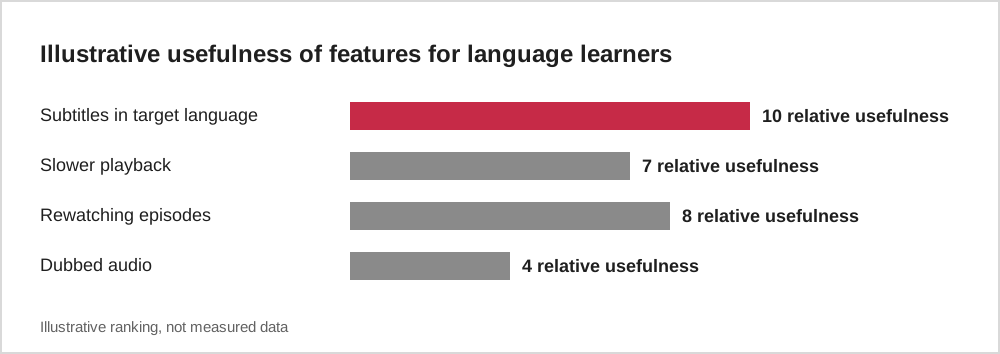
Short, clear lines and repeated situations make short dramas a fun way to practise listening in another language. Watching with subtitles in the language you are learning, rather than your own, can be especially useful.
Tips for different viewers
Viewers with hearing loss benefit most from apps that offer full subtitles for every episode, ideally with sound cues such as music or doors where relevant. Viewers with low vision may prefer apps that allow larger subtitles or that work with the phone's system text settings, and may find dubbed audio easier than reading.
For viewers who find fast cuts tiring, lowering brightness, taking short breaks and watching fewer episodes in a row can help. Some apps allow slower playback, which gives more time to follow dialogue. Testing these settings on one series before committing to an app is a sensible way to find a comfortable setup.
Choosing the right subtitle style
Subtitles come in several styles. Standard subtitles show dialogue only. Subtitles for the deaf and hard of hearing (often labelled SDH or CC) also describe important sounds, such as a door slamming or ominous music, and identify who is speaking. Some apps also burn subtitles directly into the video, which means they cannot be turned off or resized.
If you rely on subtitles, look for apps that offer adjustable text size and, ideally, SDH-style captions. Phone settings can also help: both iOS and Android let you change caption appearance system-wide, which some video players respect.
Watching comfortably for longer
Short dramas are often watched in dim rooms late at night, which can strain the eyes. Reducing brightness, enabling dark mode where available and using your phone's night or warm-colour setting can make viewing more comfortable. Holding the phone a little further away and taking regular breaks also helps.
For people sensitive to flashing lights or rapid cuts, some series can be uncomfortable. If you notice discomfort, stop and rest, and consider choosing series with calmer editing. Accessibility is not only about subtitles; it is about being able to enjoy stories without strain.
Common questions
Why do some subtitles appear in a different place?
Some shows have subtitles burned into the video, while others use subtitles that the app draws on top. Burned-in subtitles cannot be resized or turned off.
Can I report subtitle errors?
Many apps have a feedback or report option. Reporting errors helps improve translations.
The short version
Turn on subtitles, choose your preferred languages, adjust brightness and try system accessibility settings. Small changes make short dramas easier to follow and more comfortable to watch, wherever you are.